The case, the counter, the bench and the website, from one inventory.
Every piece has a tag number. Scan it at the counter, on the bench, on the shelf count, and in the online store. Your card machine stays; the app works out the sale and the sales tax. Available now
What it looks like
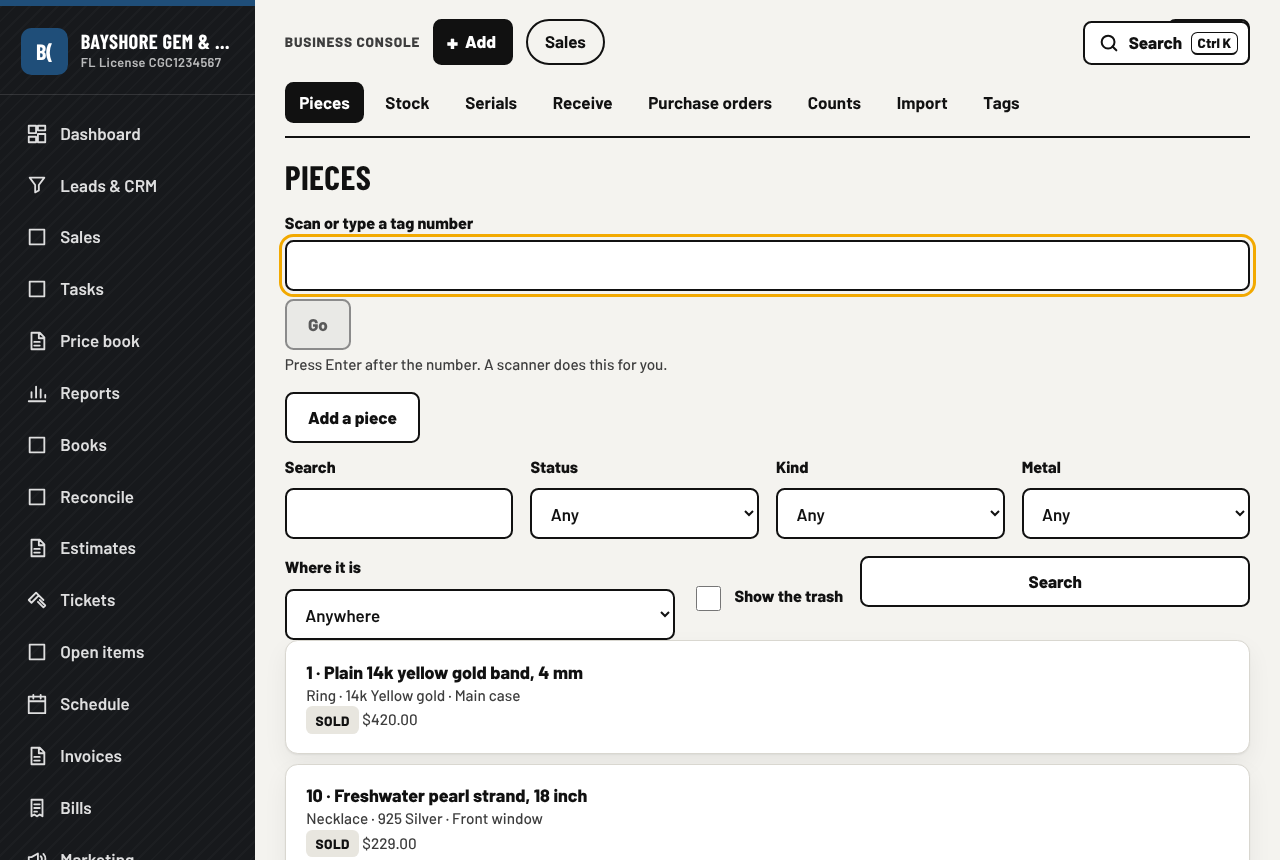
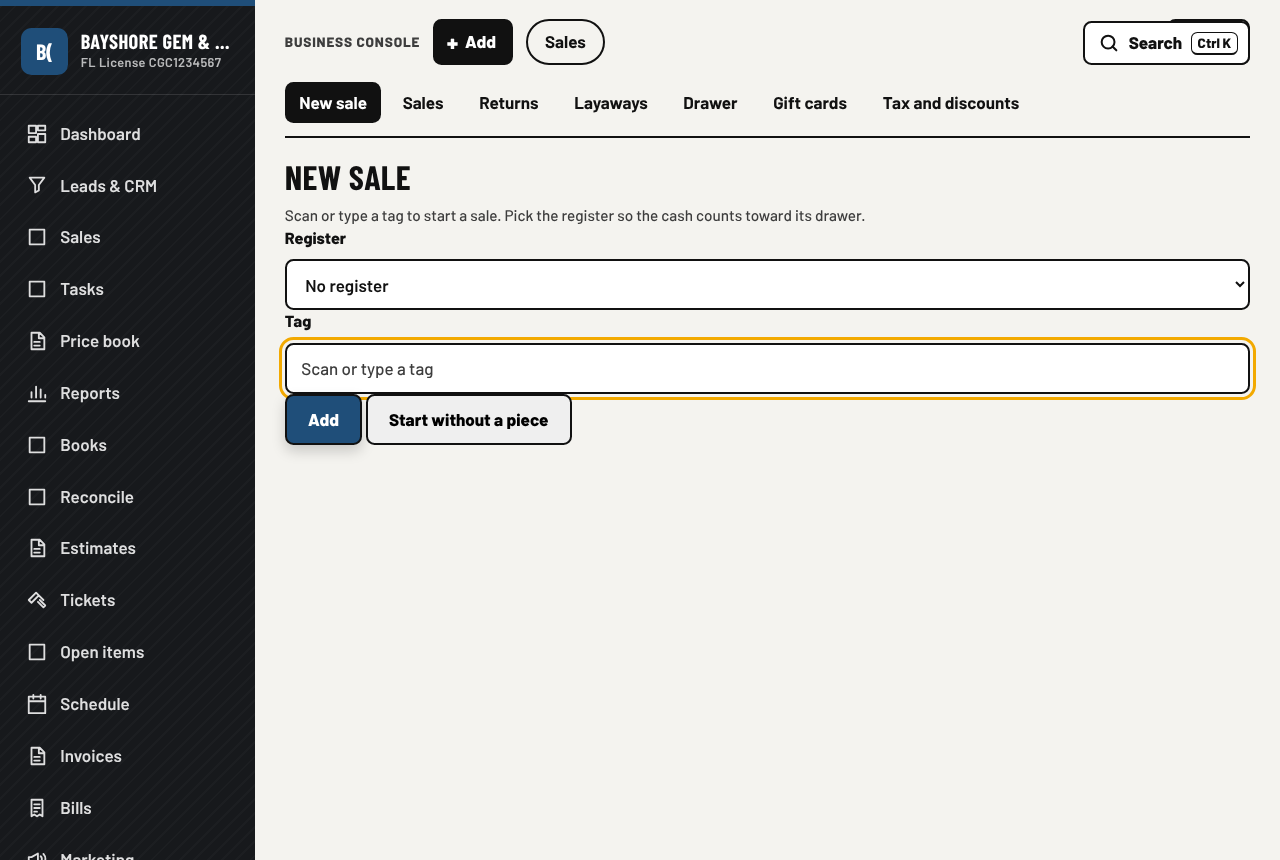
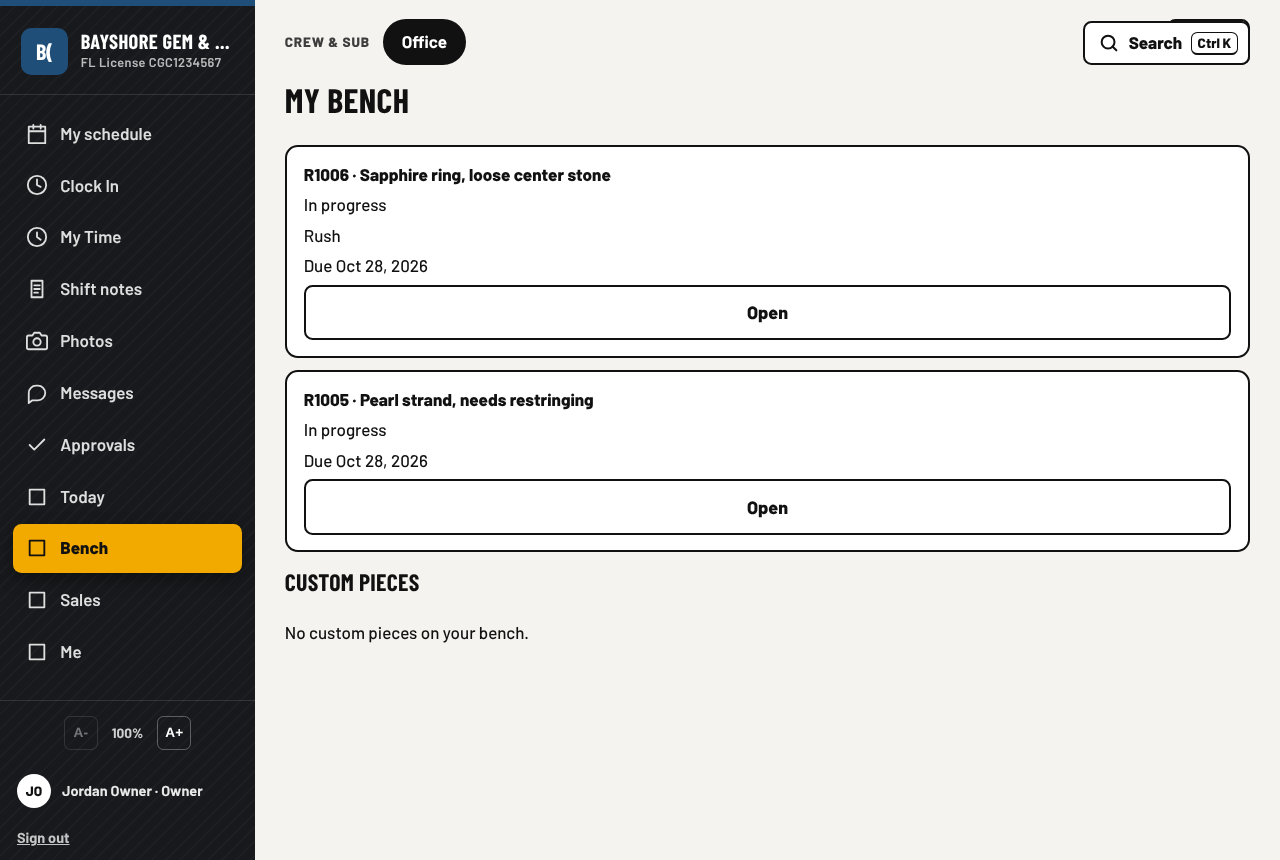
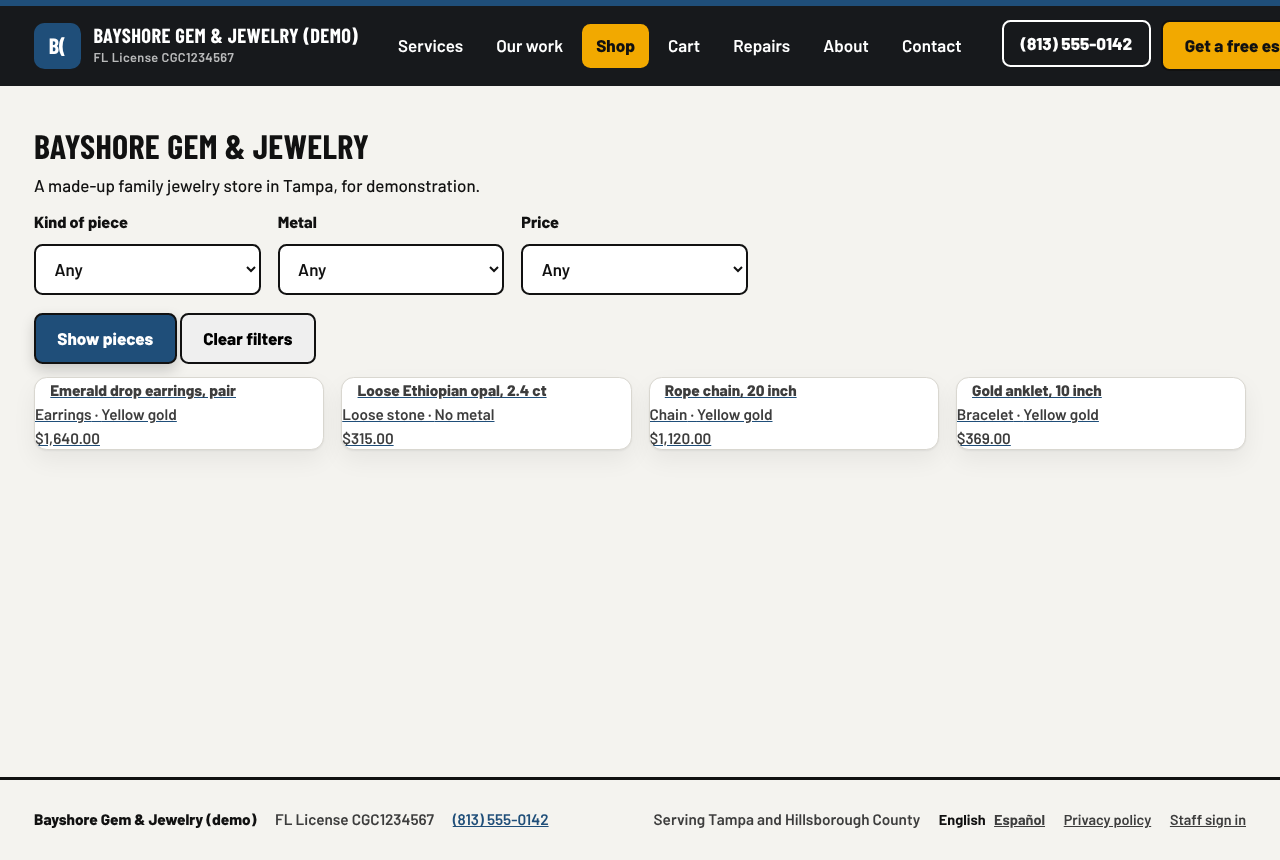
The jewelry demo company, filled with made-up pieces, sales and repairs.
What it does, in a jeweler's words
Every area is a switch. Memo and buying from the public stay off until you say so.
The case
- Inventory by tag number, printed or handwritten; a barcode gun or the phone camera reads them
- Receiving from wholesalers: pieces, stock, suggested retail prices, and the bill for the invoice
- Memo goods as a toggle, returned or bought, with the supplier's bill when you keep them
- Shelf counts, printed barcode tags, a spreadsheet import, locations and tag number rules
- The pricing rule shown next to the cost on every piece
The counter and the bench
- Ring a sale by scanning tags; discounts; sales tax for the store's own state, with the county surtax in Florida
- Your own card machine, cash, check, gift card and store credit; receipts printed or as a PDF
- Returns, layaways, and a cash drawer count per register
- Card machine deposits matched to the bank, with the processor fee posted for you
- Repair tickets: intake with photos and the customer's signature on the screen, the price and their approval, the bench queue, pickup
- Repair notices by text or email: ready, price needs approval, not picked up in 30 days
- Book a repair from the website, with a status page for the customer; custom work as its own ticket
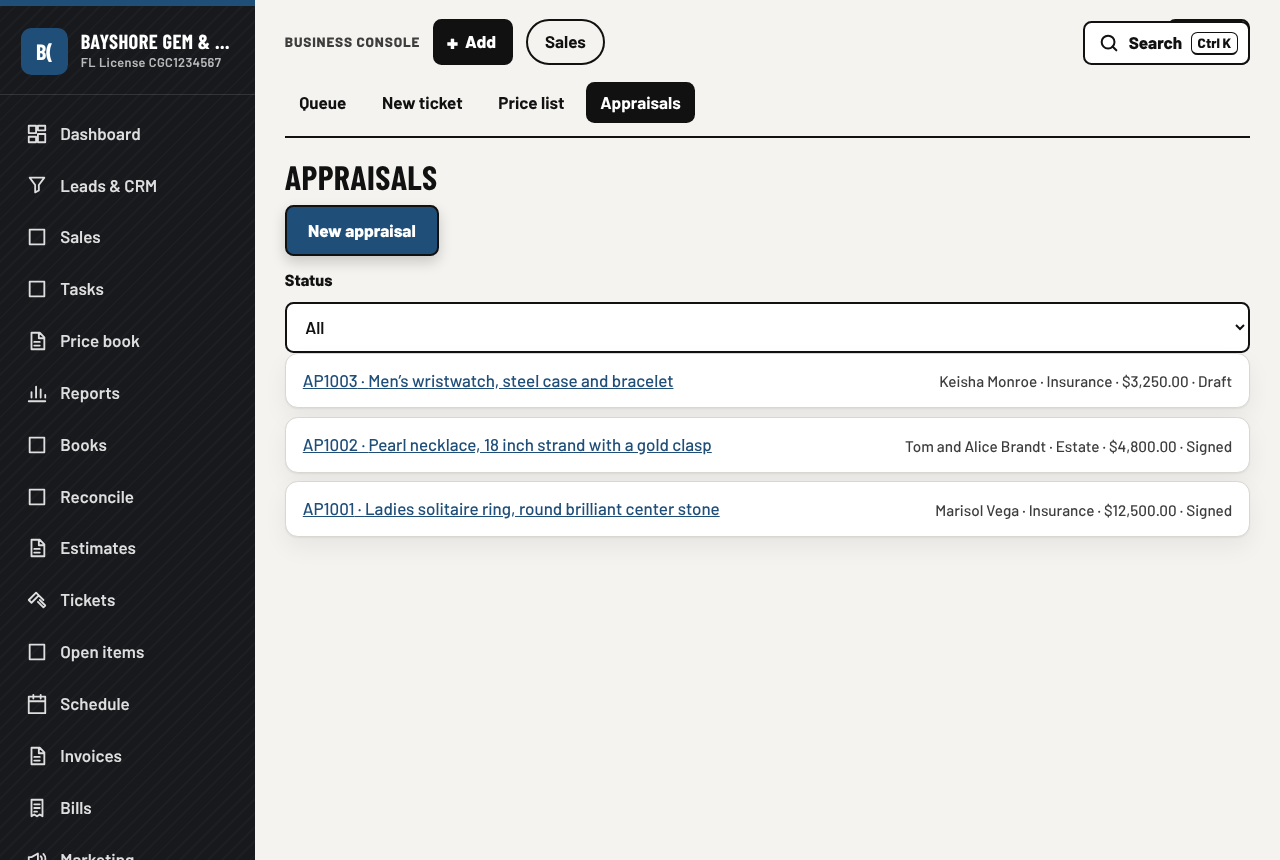
- Appraisals: photos, the stated value, a signed PDF on the store's letterhead, filed under the customer
The website and the staff
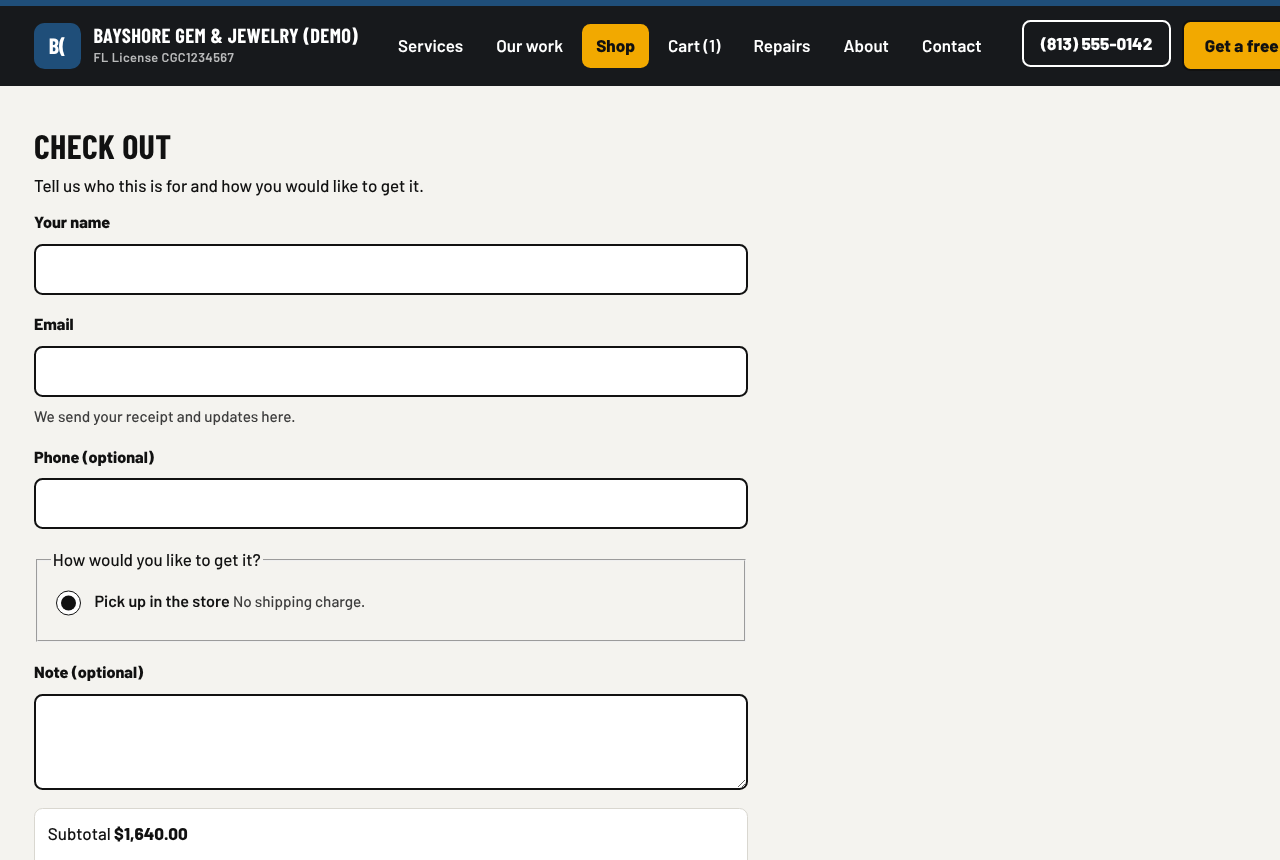
- An online store that sells from the same inventory: catalog, questions, holds
- Checkout with pickup, shipping or insured shipping, sales tax figured by the app, and payment through your card processor (Stripe, Square, Helcim, PayPal or Clover), with pay over time if you switch it on
- Orders: pack, ship, mark ready or picked up, cancel, refund. The counter always wins a piece sold twice
- The staff app on their phones: Today, Bench, Sales, and Me with this month's commission
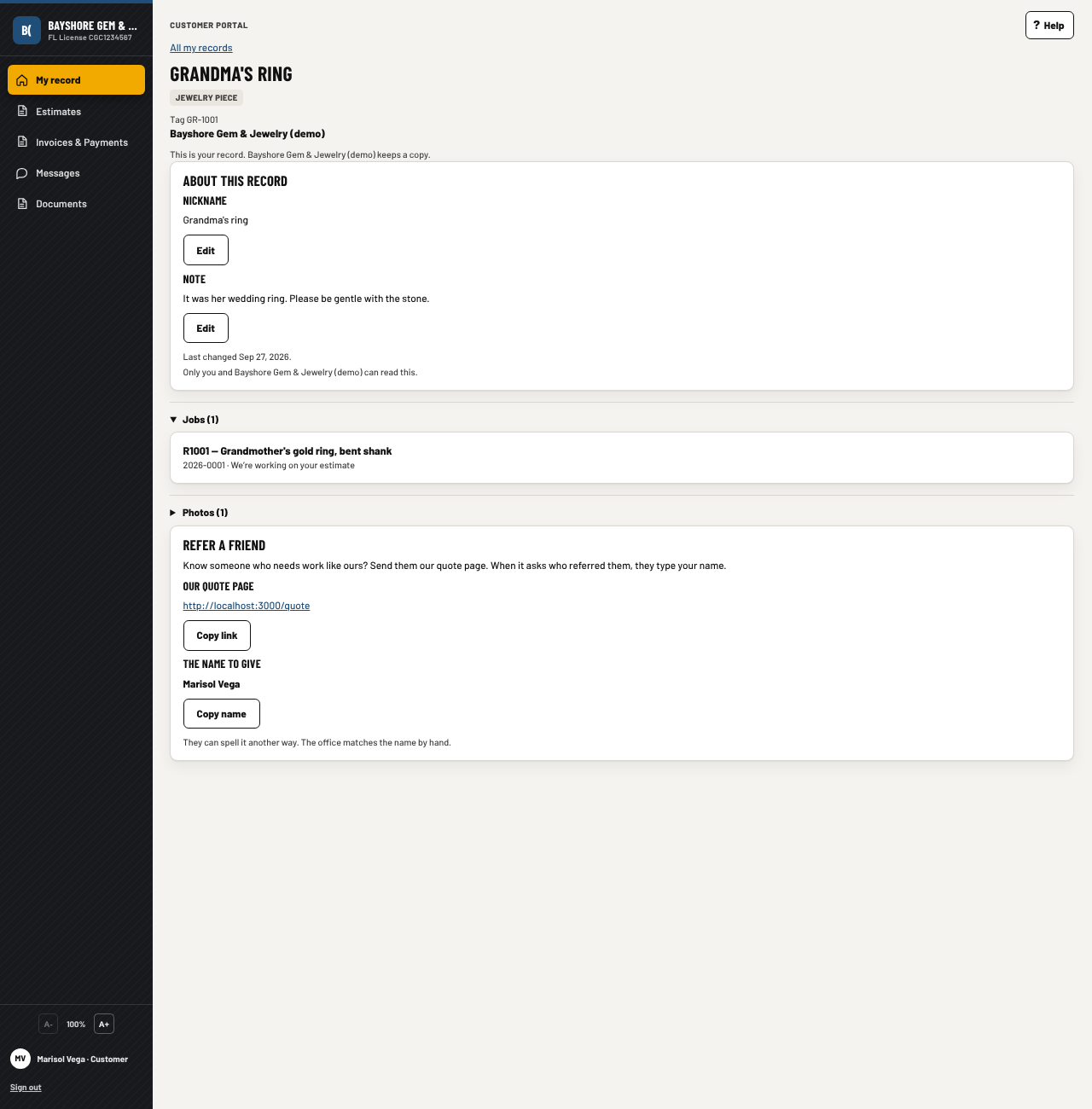
- The customer's portal opens on My record: each ring or piece the customer owns has a page with its repairs, documents, photos and payments, under your name and logo
- Customers, texting and email, the books, payroll, reports and backups, the same as every kind
What is in, and what is next
In the app today
- Inventory, receiving and memo, with a spreadsheet import
- The counter, with the sales tax of your own state, and card deposits matched to the bank
- Repair tickets, the bench queue and the staff app
- Book a repair from the website, with a status page for the customer and a signature at pickup
- Custom work as its own ticket, with the deposit and the stages
- Appraisals, signed into a PDF on your letterhead
- Cash reports: the counter adds up each customer's cash, asks for an ID over $10,000 and lists the reports to file
- Buying from the public: the seller's ID, the item, the holding period, and a daily file for law enforcement
- The anti-money-laundering program and a yearly compliance binder to print
- Low-stock reorder: a purchase order drafted from what has run low, sent after you press Send
- Bring your inventory, customers and past sales in from WooCommerce or Clover
- Bring your old contracts, invoices and photos in from a folder, a zip, Dropbox or Google Drive: the app files the sure ones and asks you about the rest
- QuickBooks both ways: invoices, payments and bills go across every night, and what your accountant records there comes back
- The box drafts the reply to a new email, text or review while the AI computer is idle, and sends nothing
- My record in the customer's portal: a page for each piece, with its repairs, documents, photos and payments, and a Book it request that reaches you as a lead
- The record, further: a nickname and a note the customer writes, a photo they pick from the ones you shared, a review card that follows a request you sent, a friend's address to share, your preview of what the customer sees, and a way to fold two records of one customer into one
- The online store, checkout, orders and refunds, with pay over time if you switch it on
- Card payments through Stripe, Square, Helcim, PayPal or Clover
- An office manager with one approval queue: it sorts the inbox, drafts the reply, reminds on unpaid invoices and matches the bank. Nothing goes out without your tap
- Two stores or more: each stock place belongs to a store, each person sees the work of their own stores, and the owner sees all of them
- Approval limits per person, and a Who may do what page you can print
- The customer timeline, a task list for the office and an inbox with one line per customer
- A financing link on the proposal for a store that uses an outside lender
- A news page on your website, in English and Spanish, with every post approved by a person
- A phone app for iPhone and Android, built from the same app
- Connect other apps with a key and webhooks
- The phone receptionist, the customer portal, the books, payroll, in English and Spanish
Next
- Apps in the App Store and Play Store: the app is built, the store pages wait on the developer accounts
- The drafting spread across many AI machines, for a store with many people at once (a second AI box that takes over when the first is busy or down is in the app today)
- Emailing a receipt from the counter, and receipts in the customer's portal
- Sales tax for a state other than the store's own on online orders
A pricing example for a jewelry store
A store with the owner and two in the office, and four people on the staff app at the counter and the bench. The full price list is on the pricing section of the front page. Prices as of October 2026, in US dollars.
No fee per sale and no fee per piece; your card processor's own fees are separate and stay what they are today. Buy the box from us and the whole subscription is free for the first months, see hardware. The customer portal is free with no limit. Seats can change any time, and you can cancel any time.
Next step
Tell us how many people work the counter and the bench, what you use today, and whether you sell online. We walk you through the demo store on a video call, then size the box and send a firm quote.
Also for: Construction, Service companies, Computer shops. Or go back to the front page.
Contact
Based in Florida. We answer the phone during business hours, Eastern time.