The Assistant, by CydarPC
What's new
- Version 4.1.4: your own contract file for signature. Save your attorney's contract PDF in Settings, Contract terms, or upload one for a single job, and pick it under Which contract? when you draw up the contract. The customer signs your pages as they are, followed by a summary page, the two Florida notices and the signature page the app adds. The file must be a PDF of up to 20 MB and 60 pages with no password lock, and it is copied into a clean PDF before it is saved. Store fixes: the phone asks which register you are at when more than one is in use, Receive finds an older shipment by supplier or invoice number, and the phone's Today lists the custom pieces on your bench. Sales and solar fixes: job links on the commission list open the real job, and Draw the layout keeps each roof photo's drawing and asks before leaving unsaved work. Every release ends with a full security review, and what it finds is fixed in the same release.
- Version 4.1.3: talk to the estimate helper. In the estimate builder, say or type what should change ("add a permit for 850 dollars"), and the helper lists the changes with the new total. Tick what you want and tap Apply; nothing is saved before that. The helper never sees cost or margin and never invents a price. A salesperson can add a line from the price book at its price, and change a line's words or quantity, on the draft estimates of their own jobs; the office still sets every price. A Sales card on the phone opens the job's Sales page. A refund already made in the card processor's own dashboard is recorded with its refund number and never given back twice, and refunds reach QuickBooks. Every release ends with a full security review, and what it finds is fixed in the same release.
- Version 4.1.2: Settings in tabs, your own contract terms, and how much of the price the customer sees. Settings is now nine tabs with a box that finds a page by name, in English or Spanish. A proposal and its contract can show one price, a price per section, or every line; costs, markup and margin never show. Settings, Contract terms holds your own payment terms, warranty and additional terms, up to a full contract, and the two Florida notices print on every contract whatever is typed. Price book import reads a Home Depot purchase export as it downloads. "Full home remodel" joins the starter job types, Estimates and Jobs in the menu open real lists, and an estimate takes a price typed straight in. Every release ends with a full security review, and what it finds is fixed in the same release.
- Version 4.1.1: the job page moves a sold job along, and money in one place. The job page has Mark scheduled, Start work, Put on hold, Resume work, Mark complete and Cancel the job, each shown only when the job can make that move. A sent invoice has Send again, Send a reminder and Copy portal link. Cards at the top of Bills add up what the company owes: open, overdue and due in 7 days. The customer's page shows what they owe, their last payment and their next visit, with Print statement, and Take a call shows the caller's open jobs. The customer's portal puts what waits on them first: each proposal to review, contract to sign and invoice still owed. The crew's Today works with no signal from the copy saved on the phone. A fresh install downloads the app again, and the first-run setup code works.
- Version 4.1.0: a merge you can undo, delete my account, and a power cap for the AI card. When two customers are merged, every email, phone, name and company is kept under Also seen as, and the merge can be undone for thirty days. Customers in the portal and crew members in the app can delete their own account, and the office finishes the rest within thirty days; the website has a Delete my data page. The installer asks for a power cap in watts for the AI card, for a workstation with a smaller power supply. The hardware price is made one way: the parts at cost plus a flat $1,400 for the build, the install and the first year of hardware support. The one-line install now downloads from the builder's public download page, so it works on a fresh machine, and the download leaves out the builder's own files. Three more security rounds ended the release: more places now refuse to show or change a record from another location.
- Version 4.0.3: the box defends itself, and updates prove where they came from. Every box now has a host firewall that lets in only the web ports and the office network, runs its containers without root, and checks every update, install script and cloud image against a signed list before it uses them. Backups can go off-site to any cloud storage. The hardware guide names a standard-parts AI box for new customers and a budget build with an AMD card, with a step-by-step plain Linux install for someone who has never installed Linux. Every release ends with a full security review, and what it finds is fixed in the same release.
- Version 4.0.2: a second full security review, with every fix in the same version. The public forms and the online store have stronger limits, so a robot cannot get fresh tries by changing its address. The crew sees job names without customer names, and the accountant sees the books only. Updates must be signed by the builder. Every release ends with a full security review, and what it finds is fixed in the same release.
- Version 4.0.1: calls on the right branch, payments that cannot double-charge. The phone receptionist now says when it could not tell which customer called, and the calls list can be filtered by branch. Two quick taps on Record payment or Pay now make one payment, not two. The new sign-in email names the browser, and an API key stops when the person who made it is moved to a role that does not manage settings. Every release ends with a full security review, and what it finds is fixed in the same release.
- Version 4.0.0: a company of forty, in several locations. One app can now use many AI boxes: Settings, AI, More AI boxes lists each one with its state and a switch, and the app sends each request to the least busy. The phone receptionist offers up to five departments after the greeting, each ringing its own number, and each branch can have its own receptionist number that only that branch's people see. Reports, Branches puts each location side by side. Every release now ends with a full security review, and what it finds is fixed in the same release.
- Version 3.0.0: the house changes hands, and the pay application goes to the GC. When a house sells, the customer taps I sold this in the portal, or you tap Move to a new owner on the record. Nothing moves until you confirm it on one screen. The new owner sees the work done there (job name and day, no money) and the warranties you chose to pass on; the old owner keeps every job, invoice and payment. You get a warm lead for the new owner, and no email or text goes out. A computer box can change hands the same way; a piece of jewelry is not moved. On a job in a general contractor's Procore, a progress invoice now makes the monthly pay application, with the materials stored but not installed shown on their own lines, retainage held and the conditional waiver attached and signed in the app; you send it by email or download it, and nothing goes to Procore. The installer can use a second AI server, such as a Mac or a gaming PC, and asks in plain words what each of its models can do. It also turns on the computer's own nightly security updates, with no automatic restart. When you merge two records of one customer, the notes, numbers and photo of both are kept.
- Version 2.9.0: the record gets cards, the customer's words and a photo. Two cards on the customer's record: How did we do?, which follows a review request you already sent and opens your review page, and Refer a friend, which shows your quote page address and the name to say. Neither is tracked, and neither offers a reward. The customer can give a record a nickname and a note, which you see marked as written by the customer; you can clear them but not change them. The customer picks one of the photos you shared as the record's photo. In the office, See as the customer opens a read-only copy of what the customer sees, in their language; it is a view, not a sign-in. Merge records folds two records of one customer into one, and it cannot be undone. The route screens in the crew app now read in Haitian Creole too: My route, the stop, the pool log, the treatment record and the skip form.
- Version 2.8.0: the customer's record. The customer's portal now opens on My record. A house, a piece of jewelry or a computer box each has its own page: every job, document, warranty, piece of equipment, photo and payment for that one thing, under your company's name and logo, with a short list of what is due soon. Book it lets the customer pick a day and an arrival window; for a piece or a box it sends you a lead instead. The customer sees only what they already saw on their job pages, never a cost or a note. You make the records on the customer's page.
- Version 2.7.0: pool, lawn and pest companies. A fifth kind of company. A route plan on a monthly agreement makes the next two weeks of stops, and a board shows the week by tech. The tech's day is a route on the phone, and every skipped stop needs a reason. The pool log checks six readings against your own targets, and the treatment record keeps the product, the amount and the weather at a lawn or pest stop. The customer's Service page shows the next visit and the running log. A month review marks a month with too many missed stops and changes no bill. Florida's list of what a public pool must show is drafted and marked to confirm.
- Version 2.6.1: Haitian Creole in the crew app, and storm declarations from the weather service. The Crew & Sub app now comes in Kreyòl ayisyen beside English and Spanish. In Storm mode, one tap lists the weather service's Extreme and Severe alerts for your address and fills the declaration form in. You check the Governor's declaration and save it.
- Version 2.6.0: the whole insurance claim. A claim job gets a claim file in seven sections. It works out what the carrier still owes, reads the carrier's estimate in beside yours, and keeps the supplements, the depreciation held back, the mortgage company's endorsement and the dates the policy and the state set, with a reminder before each. Florida's dates are in; another state's job shows none.
- Version 2.5.0: for a computer shop, the fleet view, parts and repairs, and remote help. Every box you sold on one screen, with its version, health and last backup. A customer who owns a box buys a second AI box, memory or a replacement from their own Help page, and reports a problem with the box's whole history on the ticket. For a box behind a router nobody can open, the owner can start a help session that ends by itself. The health report is off until the customer's owner turns it on.
- Version 2.4.0: QuickBooks both ways, your old files, Procore and solar jobs. Connect QuickBooks Online and invoices, payments and bills go across every night, and what your accountant records there comes back. Bring your old contracts, permits, invoices and photos in from a folder, a zip, Dropbox or Google Drive; the app files the sure ones and asks you about the rest. Work as a sub inside the general contractor's Procore: the RFIs and submittals assigned to you show on your job. A solar job gets the system, the power company and a paperwork list.
- Version 2.3.0: the wall between locations, finished. A person limited to one location no longer opens the photos and files of a job at another location, and a split bill is paid and approved by location. Trends in Ask are quoted in the language of the person who asked.
- Version 2.2.0: the books and the plans. Job costs counted from the books, a receipt split across jobs, and a bill read from a PDF or photos. Switch over from ServiceTitan, Buildertrend and JobNimbus as well. The app reads a plan page and proposes the takeoff rows, and a person confirms each one before anything is priced. PDF drawings open in the app with marks. The box can draft replies and estimates ahead while the AI computer is idle, and nothing is ever sent for you. Reports, Trends lists what moved since last quarter, and Open items lists every open RFI, inspection, expiring permit and punch item across all your jobs.
- Version 2.1.0: approval limits, more than one location, and Who may do what. Give a person a dollar limit. When they send an estimate, a change order or a purchase order, or approve a bill, above their limit, a card goes to the Approval Queue for you or someone whose limit covers it, and it goes out only after that okay. A company with two or more locations (Tampa and Orlando, or two stores) gets Settings, Locations: jobs, leads, service calls, trucks, stock and the reports each belong to a location, and each person sees the work of their own locations. The owner sees all of them, and a branch manager changes where their own people work. A new Who may do what page lists each person's role, locations, limit, and what they can see and do, with a Print button. A company with one location sees no change.
- Version 2.0.0: the office manager, and a news page for your website. One Approval Queue holds everything waiting for your yes, with Approve, Edit and Decline. The office manager reads new emails, texts and portal messages and drafts the reply. When a customer texts for a visit it picks an open time. It drafts an estimate from a job's photos and your price book, and never sends it. When you mark a job done it offers the final invoice, and it reminds the customer about an unpaid one on the days you set. It matches a bank line to an entry in your books when there is only one match. Every job has its own switch, off until you turn it on, and nothing goes out without a tap. A card shows why it is sure or not, and a report card shows what each job made and what you did with it. The queue is on the dashboard and on the owner's phone. A News page on your website, in English and Spanish, gets short posts drafted from the news of your trade, and a person approves each one before it goes up.
- Version 1.10.6: Helcim, PayPal and Clover. Pick any of five card processors in Settings. Each takes payments on the portal, in the store and at the door, and refunds go through the same one.
- Version 1.10.5: the customer timeline, tasks for the office, and one inbox. One list of every call, text, email, visit, payment and proposal for a customer, newest first. Business, Tasks is the office's to-do list, filled by hand and by every date reminder. The Inbox shows one line per customer across email, texts, the portal and social messages. Every logged call or visit asks for a next step, and a review is asked for when the last invoice is paid.
- Version 1.10.4: support tickets and subscriptions for a computer shop. Tickets with a clock for the first answer and one for the fix. A knowledge base in English and Spanish that customers read on their own page. A subscriptions screen with what each customer pays and when it renews.
- Version 1.10.3: cash reports and records for jewelers. The counter adds up each customer's cash and asks for an ID over $10,000. Items bought from the public are recorded with the seller's ID and held before they can be sold. A yearly compliance binder prints as one PDF.
- Version 1.10.2: monthly plans on the card, and customers move their own visit. A maintenance plan billed monthly is charged each month to the card on file. A customer moves or cancels their own visit from the portal, within the notice you set. A financing link goes on every proposal for a shop that works with an outside lender.
- Version 1.10.1: walk-in repair for a computer shop. The device checked in with a checklist, a status page for the customer with no sign-in, and a signature at pickup. The phone app for iPhone and Android is built; the store pages wait on the developer accounts.
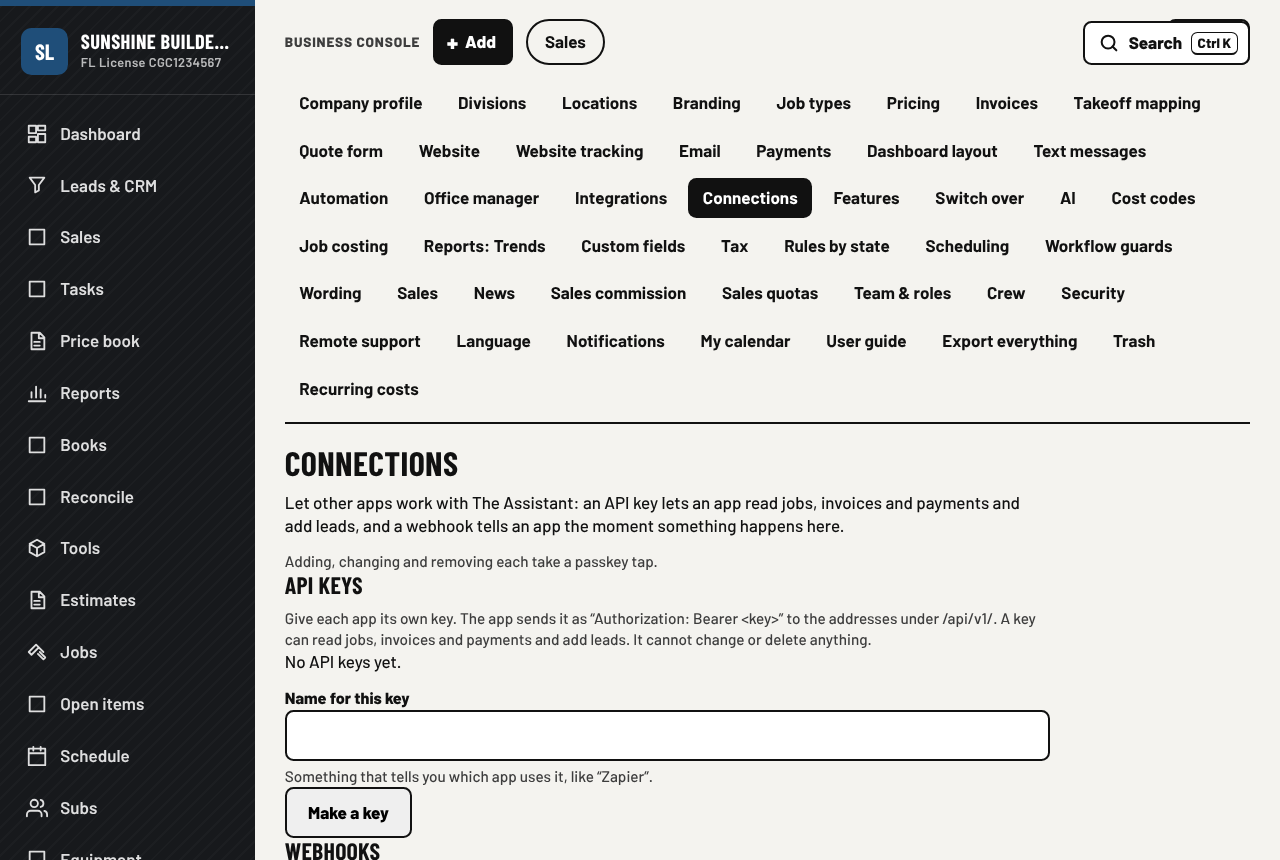
- Version 1.10.0: connect other apps, pay over time, roof measurements. Connect other apps: make a key, or have a message sent to a web address when a job, an invoice, a payment or a lead changes. Pay over time: one switch in Settings and the checkout offers Affirm, Klarna or Afterpay, and you are paid in full. Roof measurements: bring an EagleView or Hover report into an estimate and the roofing lines fill in.
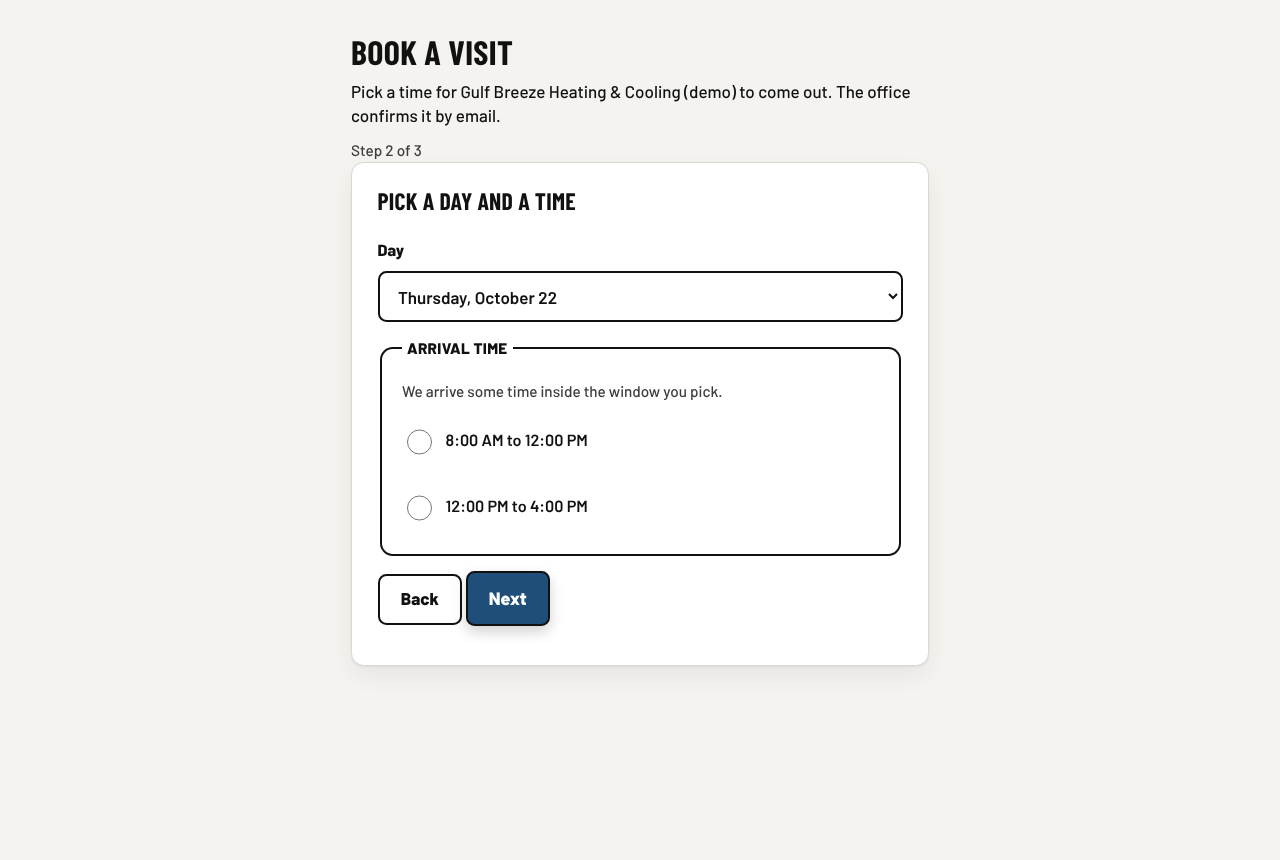
- Book a visit on your website, and appraisals for jewelers. A customer picks a day and an arrival window from the open times, and the visit lands on the dispatch board for the office to confirm. Jewelers write up signed appraisals on the store's letterhead. The counter charges the sales tax of the store's own state.
- Bring your data over from another app. Jobber, Housecall Pro and QuickBooks exports come in with a preview, and nothing changes until you press Apply. A customer also gets an "on the way" text with a live status page.
- Online checkout for jewelry stores. A cart, pickup or shipping, Florida sales tax figured by the app, payment through your card processor, and an orders screen with packing, shipping and refunds.
- Card payments through Square as well as Stripe. Pick the processor in Settings and the portal's Pay now and contract deposits go through it.
- The counter, repair tickets and the staff app for jewelry stores, and for service companies maintenance agreements, truck stock and the flat-rate price book with good, better and best.
- The phone receptionist. Answers your number when nobody can, in English or Spanish, takes a message, and puts urgent calls through.
- Free months with the box. A box bought from us now comes with free months on the whole subscription.
Contact
Based in Florida. We answer the phone during business hours, Eastern time.